The safest sequence is import, reduce, edit, match, test, and distribute. Publishing too early can expose an unfiltered provider list or leave players with incorrect guide IDs.
Use only playlists from services you are authorized to access. M3UEditor is a playlist management tool and does not sell or provide IPTV subscriptions.
1. Create an import
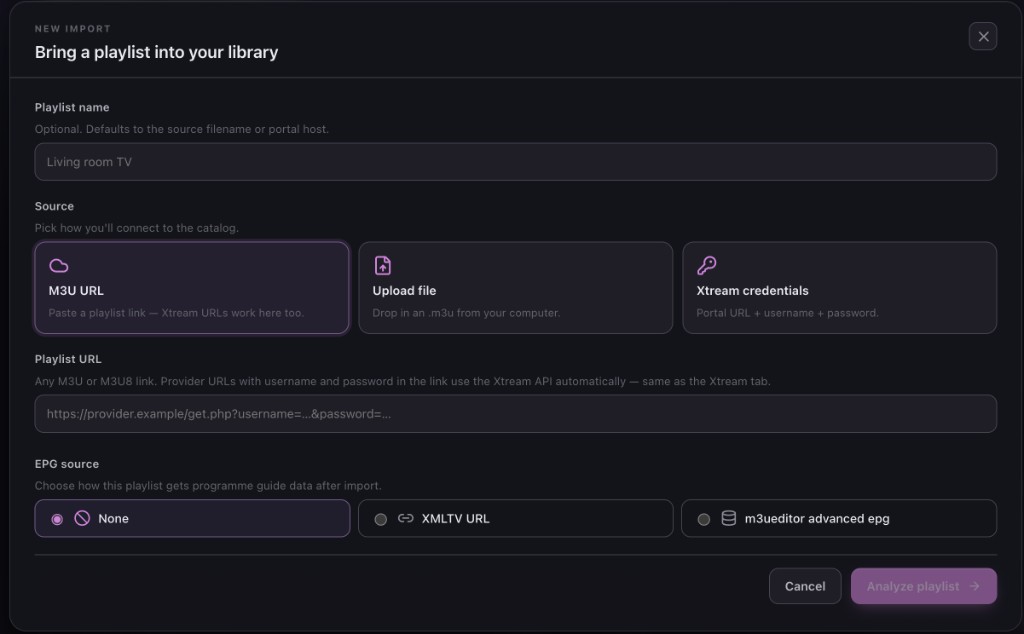
Choose M3U URL, file upload, or Xtream credentials. Give the playlist a clear name and select an EPG mode if you already know the guide source. Start analysis before saving any channels.
For Xtream, verify the server URL, username, and password. For M3U, confirm that the URL or file returns a valid playlist and is not an HTML login page.
2. Select the content you need
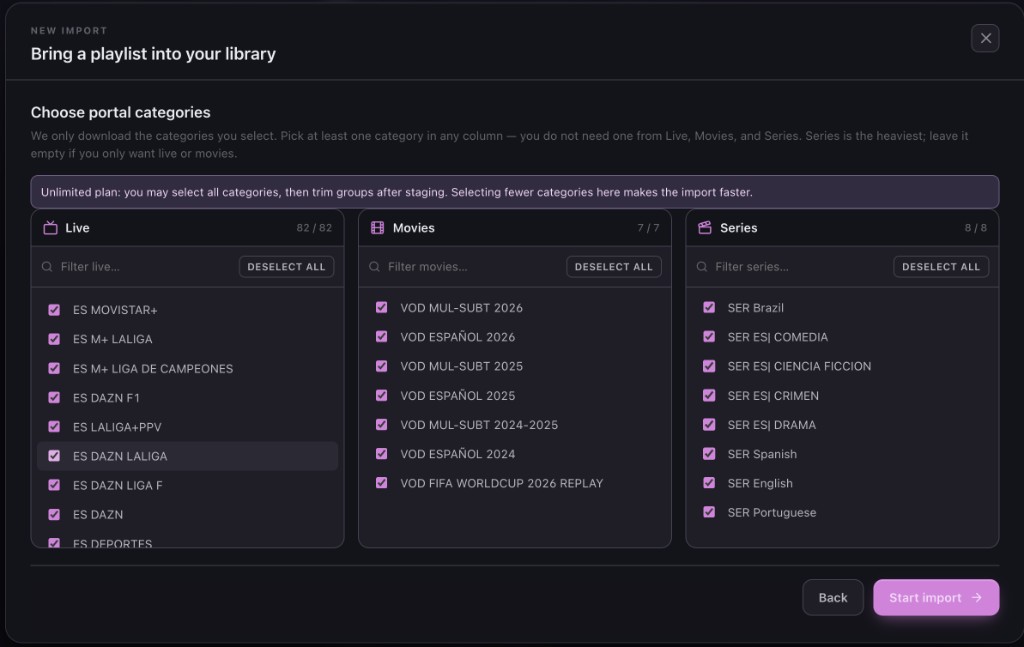
Review group and category counts. Select the regions, languages, and content types needed for this playlist. Leaving irrelevant groups out at import is faster and clearer than hiding every row later.
Xtream sources can separate Live TV, Movies, and Series. M3U sources depend on the metadata supplied in
each EXTINF entry, so some files may need more group cleanup after import.
3. Curate the playlist in the editor
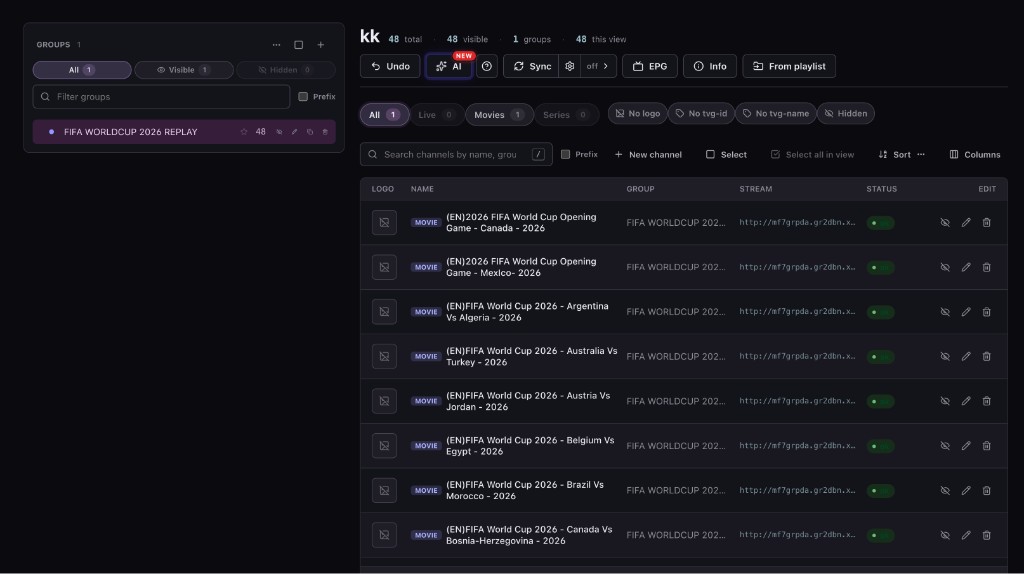
Rename groups, reorder channels, hide unwanted rows, correct titles, and replace broken logo URLs. Work group by group so that changes are easy to review.
See the complete online M3U editing guide for a repeatable cleanup order.
4. Match EPG and inspect programme data
Choose the M3UEditor guide library or an external XMLTV URL, then match playlist channels by
tvg-id. Review missing and ambiguous matches manually.
5. Test the output before sharing it
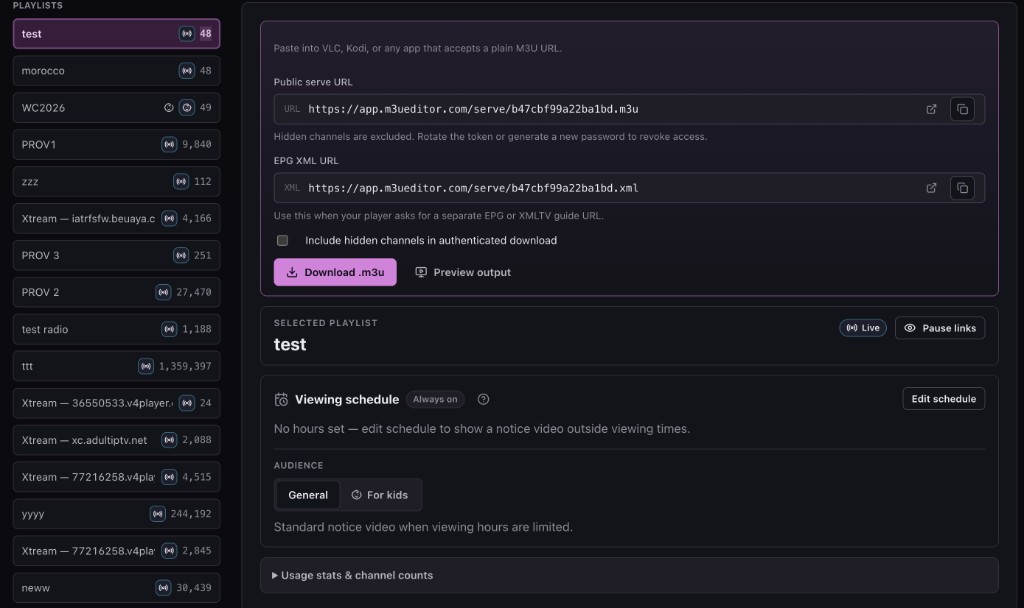
Open the generated M3U and XMLTV endpoints in a test player. Confirm channel order, hidden rows, logos, current programmes, and local time alignment. Test at least one channel from several important groups.
If the player still shows old information, force a playlist and EPG refresh. Player caching can make a correct server-side edit appear unchanged.
6. Protect and maintain distribution
Give players the published M3U or Xtream-style details, plus the matching XMLTV URL when required. Keep the provider login in the source settings rather than copying it to each device.
- Use a separate output password or token.
- Pause distribution while resolving an access problem.
- Rotate public credentials if a URL is exposed.
- Review new groups after scheduled source sync.
- Recheck EPG matches when the provider changes channel metadata.
Use a short maintenance check after launch
A published playlist is not finished forever. Set a review schedule that matches how often the source changes. Check whether distribution is reachable, open several important streams in the player, inspect new provider groups, and confirm that the guide extends into the expected future window.
Keep source problems and editing problems separate. If a stream fails in both the source and the edited output, changing its title or group will not repair playback. If the source plays but the edited output does not, compare the saved stream address, distribution status, and output credentials. This distinction makes support requests faster and avoids discarding correct curation work.
When a device is replaced, add the protected output to the new player rather than exposing the provider login. Retire unused device access by rotating output credentials when necessary.
Document the player handoff
Record which output format each device uses, the playlist name shown in the player, whether XMLTV was detected automatically, and the date of the last successful refresh. Do not record the complete password or token in an unsecured note. This small inventory helps when one device fails while the same output continues working elsewhere.
When testing a new player, add the protected output rather than the provider source. Confirm that hidden channels remain absent, groups appear in the intended order, and programme times match the local clock. If the player requires a separate guide field, paste the XMLTV URL produced for the same playlist. Using an XMLTV URL from another playlist can create apparently random missing matches.
After the handoff succeeds, remove temporary test devices or rotate any credentials that were shared during setup. The resulting workflow is easier to support because the source, edited playlist, guide, and player each have a clear role.
Take one authorized source from import to protected output. Review every stage before adding the URL to your main player.
Get Started FreeCommon questions
Do the M3U and XMLTV URLs use the same playlist?
They should be generated for the same edited playlist so that the M3U tvg-id values match the XMLTV channel IDs.
What should I do after a provider sync?
Review new and removed groups, confirm that manual edits remain correct, then run EPG Manager for new or changed Live TV channels.